Posts tonen met het label tools. Alle posts tonen

zaterdag, september 17, 2011

Tools om gegevens op een mooie duidelijke manier te laten zien


We gebruiken (lezen, maken) bijna allemaal wel gegevens (data, informatie). Lijstjes etc. Maar hoe zet je die nu (liefst zo eenvoudig mogelijk ;-)) om in een vorm die duidelijk is, die snel en mooi laat zien wat de verhoudingen etc zijn?

Een collega vroeg me recent welke tools er op het gebied van data-visualisation (ook wel bekend in relatie met 'big data' (grote data-collecties)) zijn, en in zijn geval vooral tools om tekst in mooie plaatjes te veranderen. Ik zocht en vond leuke tools:

- IBM ManyEyes, bv een Phrase-Net;

- DocuBurst;

- tag-cloud maken: Wordle of TagCrowd. Een variatie, maar 1 met het voordeel dat je de woordwolk zelf vorm kunt geven, is Tagxedo;

- een fraai rijtje met data visualisation tools, maar ook met data-bronnen om die infographics mee te vullen :-)

- tools van het Canadian Writing Research Collaboratory (CWRC,"quirk");

- Number Picture > maar hier kon ik niet zo snel iets werkends krijgen (maar dat lag vast aan mij!);

- leuke tool: LexiMancer ... maar mi wat duur.

En mindmap-tools zoals MindManager en alternatieven (goeie site trouwens, alternative to!)

Leuk was dat ik vandaag op NU.NL 1 van de Manyeyes-tools gebruikt zag worden om inzichtelijk te maken waar ons belastinggeld naartoe gaat. Wat mij betreft is die vorm een stuk duidelijker dan een droog lijstje met cijfers. En hij is nog interactief ook!

Een collega van me wees me overigens op deze fraaie verzameling van Linda Humme. Daarop zie je soortgelijke tools als die ik noem, maar bv ook (onderin) een paar leuke sites waarmee je plaatjes kunt zoeken om bv een tekst te vervangen of 'aan te kleden'. Zo kun je zoeken naar plaatjes met een bepaalde kleur, of over een bepaald onderwerp.

Ook een leuke tool om content snel op een leuke manier te tonen, is Popplet.

Hieronder een leuke set van data visualisatie voorbeelden die ik zag via dit artikel met de vraag wanneer nu eigenlijk sprake is van een infographic:
Ook leuk: "5 Free Online Tools to Create Your Own Infographics". Of deze die met 1 woord op basis van een Twitter-zoek een wordcloud maakt. En deze. En Dutch Cowboys schrijft over Visual.ly waarmee je je eigen infographics kunt maken.

En er komen steeds meer grafiek-maak-tools, zoals iCharts.

Ook deze scoop.it-pagina bevat een fraaie verzameling.

En "The 15 best tools for data visualisation". Of de verzameling op datavisualization.ch . Of deze '20+ tools to create your own infographics'...

Of deze 'top 20'.

Afbeeldingsbron: we-make-money-not-art.
Tags: visualiseren, tekst, grafisch, wordcloud, dataviz.

donderdag, september 23, 2010

Excel wachtwoord vergeten?


Een collega komt bij je, en vertelt dat hij het wachtwoord niet weet van een Excel. Of je kunt helpen. Sure, maar: hoe ethisch is dat? Hoe bepaal je of het zijn/haar informatie/Excel wel is?

Dus ik koos de korte route: een collega vraagt, en wij helpen. Ik vond 2 tools (waarnaar her en der ook veel verwezen wordt): Excel Password Recovery Master, Excel Password Remover en Free Word / Excel Password Recovery Wizard. De 1ste heb ik uitgeprobeerd, en daarmee wist ik 1 werkblad binnen 24 minuten (pc laten draaien, draaitijd oa afhankelijk van de specs van je PC) te ontdoen van het wachtwoord.

Aan het plaatje bij dit blogitem kun je zien waar in Excel 2003 je dan moet zijn om die gedownloade module te activeren. In Excel 2007 (met de zogenaamde ribbon-balk) werkt dat anders:

- open de xls
- klik linksboven op het Excel-icon
- kies OPTIES VOOR EXCEL
- kies INVOEGTOEPASSINGEN en klik dan START
- blader naar de xla (password.xla, die je kan downloaden op de genoemde site)

Daarna heb je achteraan een extra keuze in het menu, waar je de opties terugvind om 1 worksheet ed van wachtwoord af te helpen.

Ook altijd leuk is om zo'n file te openen in een online office variant (Google Docs, Microsoft Live Office, Zoho etc). Ik probeerde er een paar (waarbij soms de file te groot werd gevonden, of wat anders een blokkade vormde), maar bij ThinkFree Office lukte het me ook om die file te openen en een stuk van de beveiliging kwijt te raken :-).

woensdag, augustus 11, 2010

Postcode reeks genereren


Op mijn huidige opdracht had een collega een bestand met een begin- en eind postcode (en daar dan heel veel van). Maar ze wilde ook graag de tussenliggende postcodes hebben. Ze vroeg me of ik een oplossing wist.

Mogelijk is er een slimmere oplossing, maar ik maakte een korte macro in Excel VBA. De macro werkt als volgt:


  • de macro gaat uit van minimaal 2 tabbladen: BRON en DOEL. Op BRON staat in cel A2 de 1ste START postcode, in B2 de 1ste EIND postcode. A3 bevat de 2de START. En zo verder. Het aantal start/stop-postcodes maakt niet uit.
  • zodra je de macro aanroept, positioneert de macro zichzelf op de goede tabbladen en cellen (je hoeft niet perse op tabblad BRON, DOEL of in cel A2 te staan)
  • zie verder de documentatie in de code hieronder
  • de huidige macro gaat er van uit dat het nummer-deel van de VAN en TOT-postcode altijd hetzelfde is. We kunnen dus bijvoorbeeld alle tussenliggende postcodes van 1234 AB t/m 1234 YL aanmaken, maar de onderstaande versie van de code kan niet omgaan met bv een VAN-waarde 1234 AB en een TOT waarde van 2345 YH.


Dus, als tabblad BRON het volgende bevat:

Cel A2: 1234 AG, cel B2: 1234 AL
Cel A3: 5462 DF, cel B3: 5462 TE
etc

Dan maakt de makro op tabblad DOEL een rij aan (startend in cel A2, dan A3 etc):

1234 AG
1234 AH
1234 AI
1234 AJ
1234 AK
1234 AL
5462 DF
5462 DG
5462 DH
(en zo door, t/m)
5462 TE


Hieronder de VBA-code:

Sub MaakPostcodeReeks()
'
' Test Macro
' Macro recorded 8/11/2010 by Raoul Teeuwen
'

' Definieer de variabelen
' pcvn bevat het numerieke deel van de postcode. Dus indien de postcode 1234 AB is, bevat pcvn 1234
Dim pcvn As String
' pcvl1 bevat de 1ste PostCode VanafLetter. Dus indien de postcode 1234 AB is, bevat pcvl1 de A
Dim pcvl1 As String
' pcvl2 bevat de 2de PostCode VanafLetter. Dus indien de postcode 1234 AB is, bevat pcvl2 de B
Dim pcvl2 As String
' pctl1 bevat de 1ste PostCode TotLetter. Dus indien de postcode 1234 XY is, bevat pctl1 de X
Dim pctl1 As String
' pctl2 bevat de 2de PostCode TotLetter. Dus indien de postcode 1234 XY is, bevat pctl1 de Y
Dim pctl2 As String

' Leegteller gebruiken we om te tellen hoeveel lege regels we achter elkaar tegenkomen: als we 10 lege regels achter elkaar hebben, gaan we er van uit dat we alle postcodes hebben behandeld
Dim leegteller As Integer

leegteller = 0


'ga naar het resultatensheet, en ga linksboven (a2) staan
Sheets("Doel").Select
Cells.Select
Range("A2").Activate
'maak het DOEL_tabblad leeg
Selection.ClearContents
Range("A2").Select

'we gaan er van uit dat de van/tot postcodes in een tabblad Bron staan, vanaf cel A2. Dus A2 bevat de 1ste van-postcode, cel b2 de 1ste t/m postcode
'ga naar het sheet met op te halen waardes, en ga linksboven (a2) staan
Sheets("Bron").Select
'in D12 zetten we een tekst als we klaar zijn > die maken we nu dus 1st leeg
Range("D12").Select
Selection.ClearContents
Range("A2").Select

'vanaf hier moeten we gaan loopen
Do

'    Selection.Copy
pcvn = Left(ActiveCell, 4)
pcvl2 = Right(ActiveCell, 1)
pcvl1 = Left(Right(ActiveCell, 2), 1)

' beweeg de cursor 1 positie naar rechts
ActiveCell.Offset(rowOffset:=0, columnOffset:=1).Activate
'    Selection.Copy
pctl2 = Right(ActiveCell, 1)
pctl1 = Left(Right(ActiveCell, 2), 1)

'kopieer de waarde naar het DOEL werkblad, linksboven (a2)
Sheets("Doel").Select
ActiveCell.Offset(rowOffset:=0, columnOffset:=0).Activate

Do

'1ste loop

Do
'2de loop
ActiveCell.FormulaR1C1 = pcvn & " " & pcvl1 & pcvl2
'naar volgende cel gaan
ActiveCell.Offset(rowOffset:=1, columnOffset:=0).Activate
'volgende letter: dus als we 1234 AB hebben, is de 2de letter een B, daarna C, D etc.
pcvl2 = Chr(Asc(pcvl2) + 1)
Loop Until pcvl2 > "Z" Or (pcvl1 = pctl1 And pcvl2 > pctl2)
' we zijn klaar, of de 2de letter is t/m Z gekomen > dan moeten we vanaf A beginnen. Bv we zijn tot AZ gekomen, dan is de volgende BA
pcvl2 = "A"
' volgende letter: dus als we 1234 AZ hebben, is de 1ste letter een A, daarna B, C etc.
pcvl1 = Chr(Asc(pcvl1) + 1)
'we gaan door totdat we voorbij de TOT postcode zijn.
Loop Until Asc(pcvl1) > Asc(pctl1) Or (pcvl1 = pctl1 And pcvl2 > pctl2)


Sheets("Bron").Select
ActiveCell.Offset(rowOffset:=1, columnOffset:=-1).Activate

Do
If (ActiveCell) = "" Then
leegteller = leegteller + 1
ActiveCell.Offset(rowOffset:=1, columnOffset:=0).Activate
End If
Loop Until ActiveCell <> "" Or leegteller > 10

Loop Until leegteller > 10

'We zijn klaar: zet in D12 dat we klaar zijn
Range("D12").Select
ActiveCell.FormulaR1C1 = "Postcodereeks(en) zijn aangemaakt op tabblad DOEL."

End Sub


Echte VBA-profs zullen er vast nog onnodige coderegels in aantreffen, of optimalisaties weten. Maar het werkt mi al goed en snel. En wie weet heeft iemand anders er ook nog wat aan :-).

dinsdag, juni 22, 2010

Dubbele gegevens vinden in Excel


(Dutch)Soms heb je een set gegevens, en je wil zien of er gegevens dubbel / meervoudig in staan. Hoe ontdubbel je de gegevens / hoe vind je de dubbele? De Excel-formule =ALS(AANTAL.ALS(B:B;B:B)>1;"ja";"nee") kan helpen. Met de Aantal.als-formule tel je hoe vaak een waarde in een kolom voorkomt, de >1 en Als zorgt dan dat je een ja of nee te zien krijgt als een waarde meer dan 1 keer voor komt. In dit geval kijken we of een waarde in kolom B meer dan 1 maal in die kolom B voorkomt. De formule zelf kun je in elke kolom zetten die je wil, bv C.

De Engelse functienaam hiervoor is CountIf(). Als iemand een site weet waar je overigens eenvoudig kunt opzoeken hoe een Excel (en Word, Access etc) functie in een andere taal heet/wordt genoemd, hoor ik het graag!

En mocht je een rij getallen of gegevens willen ontdubbelen, dan kan dat via de Filter-optie in Excel: kies Uitgebreid Filter, selecteer de te ontdubbelen gegevens-set, vink aan of je het resultaat ergens anders wil hebben, en vink aan dat je alleen unieke records wil.

Afbeeldingsbron: veryicon.com.

dinsdag, juni 08, 2010

Cool - Microsoft Office Online Live!


(Dutch below / Nederlands hieronder)
Cool: you can try Microsoft Office Live in the Cloud (or BPOS as i think Microsoft would call it)! You need this special URL. And if you login to your Live account (signing up is free) you get to try Office, online, free ... with 25GB storage.

Google recently released an option to try Google Docs without having to create an account.

And than there are a lot of other online Office alternatives.

Dutch/Nederlands:
Gaaf: je kunt Office nu gratis online gebruiken. Tuurlijk, het is niet het volledige Office-pakket zoals je dat op je PC zou installeren. Maar de online versie ziet er op het 1ste oog hetzelfde uit. Een mooie concurrent voor de andere online Office-achtige oplossingen. Ik kon alleen bij de Online Office komen via deze speciale link.

Google lanceerde recentde mogelijkheid Google Docs te proberen zonder dat je een account hoeft aan te maken.

Source: Twitter / MSDN.

vrijdag, maart 26, 2010

Grote bestanden uitwisselen: gratis en betaalde oplossingen


Mooi overzicht van CNet over gratis en betaalde oplossingen om grote bestanden uit te wisselen via internet. De bekende namen komen langs als Dropbox en YouSendIt, maar ook oplossingen die vast niet iedereen kent, zoals Adrive.

Bron: NGN LanVision nieuwsbrief.
Afbeeldingsbron: NetGuru Online.

zaterdag, maart 13, 2010

Print a password locked PDF


In case you want to do something to a PDF file someone has protected (ie: printing is disabled, but you really need to print it): you might want to try Quick PDF Tools (i used version 1.4.0.0 succesfully), PDFUnlocker, PDFUnlock or "Ensode PDF crack".

vrijdag, februari 05, 2010

Anti RSI toetsenbord en muis


Een jaar of 5 geleden kreeg ik op het eind van elke werkdag last van mijn pols/onderarm. Ik zat bijna de hele werkdag (en vaak daar buiten ook nog) achter een toetsenbord. Zou het RSI zijn, ook al dacht ik daarvoor soms dat dat tussen de oren zat (want ik werkte al 20 jaar intensief met computers, en had nooit last gehad)?

Dus ik ging op zoek naar een oplossing. Je denkt dan al snel aan half knikbare toetsenborden. Maar in mijn zoektocht kwam ik een radicalere oplossing tegen, waarvan het verhaal me aansprak: achter een normaal toetsenbord verdraai je op allerlei punten je arm-delen/polsdelen. Al is het licht, je kunt je voorstellen dat daarmee zenuwen in de knel komen. Dit ging om een 'verticaal toetsenbord.'

Dus de ErgoType Safetype sprak me aan. Mijn baas stemde in (het was destijds een prijzige set, met de muis, maar al snel goedkoper dan dagen uitval als gevolg van verwaarloosde RSI). Het toetsenbord ziet er raar uit. En het kost even wennen. Maar als je blind kunt typen, valt de inwerktijd mee. En het werkte erg prettig. Daarnaast zorgt het voor veel reakties :-).

Al snel was ik de klachten kwijt: voor mij had het gewerkt. Bij het veranderen van opdracht, nam ik het toetsenbord niet direct in gebruik, en zo stond het een tijd op de plank. Tot iemand me vroeg of ik ervaring had met RSI, want hij had zelf klachten. Ik vertelde over de ErgoType en hij bood aan dat hij het kon proberen.

Vandaag kreeg ik het toetsenbord terug. Hij had het getest, het was prima bevallen, en geinspireerd door de oplossing heeft hij voor de Kinesis Ergo gekozen: een (vast later ontwikkelde) oplossing die ook in de handjes-schud-opstelling is te gebruiken, maar ook geknikt. De Kinesis is daarmee in meer standjes te gebruiken, en dus sneller in een stand die voor iemand werkt, want niet elk standje werkt voor iedereen :-).

Mijn contact voegde op zijn positieve verhaal het volgende toe: "If you want to recommend it you can do that with two little downers: It comes without a numeric keypad (but is AFAIK available as well) and the function (Fn) key works like a caps lock key: you have to press and release it, then perform the function you need and then repress it. What I find a bit strange :-\ - Anyway... to compensate that it has a bunch of unnecessary keys like cut, copy and paste... LOL."

maandag, oktober 12, 2009

Sync trouble > solution (ical/iphone/mobileme)


My wife and i currently both have an iPhone, and we thought we would use this opportunity to sync address books and calendars. Since my wife already had a MobileMe-account, we thought we'ld use that.

Setting it all up in a way you think you won't loose any information took some time ("are you sure you want to sync?"). That all went ok. But after a couple of days we saw some extra calendars showing up in our iPhones. So i searched around how to get rid of multiple iPhone calendars.

I ended up at this post, which worked for us.

See my other posts concerning syncing.

Image credits: Zazzle.

vrijdag, oktober 02, 2009

Online storage: lots of choice, what to pick?


For our small company, we're looking for a place to store our knowledge: templates, links etc. What i think we need in that solution:

- online accessible - so work with it any place, anywhere
- secured - we only want to access it ourselves, not share it with the world or the hosting party
- fast - uploads, downloads, search ... it needs to be snappy
- full-text-search on popular formats (although not everybody in the team thinks this is a necessity :-))
- easy upload - it needs to be fast, only a few clicks
- support tagging - i really think that's part of making content easier to find (again, not everybody in the team think we need this).

After some searching, i found Uhuroo , which looks promising. There are plugins for Firefox and Outlook, for better use and integration with Uhuroo. It supports ranking and discussing documents. You can upload using email.

Trying to find a comparetive review of this kind of platforms, i found zip, nothing. So i have no idea what possible contenders are, and whether Uhuroo is anywhere near a leader spot in this place.

I also ran into Docq. And then there are the Scribd's of this world, or document management solutions...

@albertschot mentioned SharePoint: now, i really think that platform has possibilities. But i also think it might be a little too much for our needs. We would need it in a hosted solution (which is available). But: 3 of our people use Mac OSX, and i wonder how well SharePoint acts with those clients. Further: although i've heard a lot about companies starting with SharePoint, i know way fewer success stories, so maybe it's: a lot of Microsoft PR, lots of ICT suppliers pushing the platform, and lots of customers assuming the platform will be great, but in the end, it might not meet expectations, be expensive to implement etc?

@WoudenbergWM mentioned Humyo. That looks nice, but i nowhere see it does full-text search (i need Google grade search at least) or tagging.

David from online RPG Arindal gave me a link to Dropbox. This seems a file-sync solutions, so i wonder how that works when several people all want to use the same shared set of content. It seems less of a 'put your content on the web/in the cloud'-solution, where the files are not stored locally anymore.

And my colleagues think to solve our need with MobileMe.

Anybody with other solutions, please let me know :-).

PS While searching, i came across this page. It's a little dated, but still a nice overview of all the available cloud/SaaS-solutions.

Update Jan 2010: found some sites useful when you're looking for online storage: a test by TomsHardware , a list from TopTenReviews , a ConsumerSearch doc and a site that seems to follow this stuff as well at Nolreviews . I have taken a business account (for test purposes) at Box.net, as that says to offer full text search capability. I even found a link to Google Storage.

Another nice site is Alternative to.

And a client to tap into lots of storage solutions is Gladinet.

Update feb 2010: just learned about this great list of online collaboration tools. And this top 10 list of tools to collaborate.

Update may 2011: Windows Live Mesh seems to come on strong, so you might want to check out whether it's features suit you.

Image source: Microfiche Microfilm Scanning.

woensdag, september 09, 2009

Voorbeeld Service Level Agreement / SLA


(Dutch) Het is handig om afspraken rond automatisering / ICT / IT vast te leggen. Als je dat niet doet, ontstaat er al snel een situatie waarin de afnemer / klant iets anders verwacht dan de leverancier die de ICT beheert.

Die afspraken vastleggen kan in een SLA, een Service Level Agreement, in Nederlands: een Dienst Niveau Overeenkomst (DNO). Je legt vast wat er wordt beheerd, wanneer je de helpdesk kunt bellen, hoe snel men moet reageren, welke diensten worden geleverd, wat de plichten van de gebruikers zijn etc.

Leidt dat tot dikke documenten? Dat kan, maar hoeft niet. Het hangt af van hoe pragmatisch je er mee om gaat. Belangrijk is o.a. om alleen dingen af te spreken die je goed kunt meten.

In opdracht van (stichting Ict op School/) stichting Kennisnet is door adviseurs van adviesbureau Verdonck Klooster & Associates (VKA) een voorbeeld SLA opgesteld (de SLA toolkit). Dat is gebeurd in 2002. Is het materiaal daarmee verouderd? Misschien deels, maar voor veel organisaties kan het nog een prima basis zijn, denk ik. En het is gratis ;-). Daarom vroeg ik, toen ik er achter kwam dat het materiaal niet meer bij Kennisnet op de website stond, of ik het mocht publiceren, en dat mocht.

In de ZIP-file vind je niet alleen de SLA-documenten, maar ook voorbeeld geheimhoudingsverklaring, tips over het aansturen van ICT-ers, voorbeelden van hoe je je afspraken naar gebruikers kunt communiceren en de publicatie 'Beheerst Beheren'.

Kopieer het materiaal aub. En plaats het evt ook online, zodat, mocht mijn kopie plots verdwijnen, het materiaal toch te vinden is. Een link naar deze pagina/bronvermelding wordt gewaardeerd.

Mooie voorbeelden die ik vond (ten tijde dat ik dit noteerde, werkte de onderstaande links: meld me aub als een link op enig moment niet meer werkt):

Heb je opmerkingen, aanvullingen, betere voorbeelden etc: reageer dan op deze blog, of stuur me een mail.

Afbeeldingsbron: Amazon.

donderdag, juni 25, 2009

Fiber to your home: using all bandwith in your LAN?


A colleague of mine changed ISP and choose a 60Mbps internet connection. He wondered what router and other LAN-equipment he should use to fully utilize his internet connection. That made me think: i really did not think about that, when i bought a router for our new 35 Mbps fiber internet connection: i assumed the Cisco Linksys WRT54G2 would be new enough to handle it.

So i received some links (Dutch) to info stating you really have to watch "LAN-WAN-throughput". Say what? Well, basically, you have to check whether all the boxes in your LAN support the big pipe your ISP delivers. It would be a waste to only use 2 lanes of the 10 lane super highway at your frontdoor, right?

You should check specs of your router and see what WAN-speed your router supports. Maybe your router is in this list, which also is a nice list when you think about buying a new router! My Cisco Linksys WRT54G2 seems to support my connection for now. But if i needed to buy new, the D-Link DIR-655 (and newer 855) do seem to have a nice price performance ratio. If you have a lot of wired connections in the LAN, you might want to check whether you need a switch and make sure that is able to handle the load. For this i would check out Netgear switches like the NETGEAR GS108T or newer models.

Finally, you want to make sure the clients (PC, Mac, Linux etc) utilize the available bandwidth. O, and you want to think of making it a little future proof (no new standards on the horizon?), ensure you pick a supplier that will last some years and delivers firmware updates often enough and make sure everything has enough options and safety build in. Go figure ;-).

Want to check your current ISP connection? Use Speedtest.net. And check out the SmallNetBuilder site, check the menu in the top of the screen: they have basic info, but also charts comparing stuff like routers, nas, wireless etc.

woensdag, juni 10, 2009

Full text search multiple mailboxes


A client needed to full-text search through user-data: directories and mailboxes. They had a Microsoft setup with Outlook / Exchange. I searched around, and for now found:

- ExMerge,
- Lookeen, and
- (free!) Search Server 2008.

A friend working as a digital detective told me they use X1 for investigating work stations (including searching free clusters), DTsearch, and Encase and Forensic Web Search for LANs.

PWC pointed to:
- Paraben
- Ontrack Powercontrols

Anybody with better solutions, please let me know.

I believe Windows Indexing Service does not out of the box search pst files. And i'm to up to the point (but have been looking at) search appliances (compared). Also found AimAtFile (and others, like open source ixsf), but those tools seem unneeded if we can one of the earlier mentioned working.

Image source: http://www.microsoft.com/enterprisesearch/en/us/search-server-express.aspx .

zaterdag, mei 23, 2009

Free software!!!

What about a free zip/unzip-tool? A media center. A photo-editor. A p2p download-tool. An instant messenger. A CD-ripper. An ERP-suite.

Literally thousands of programs can be downloaded for free, thanks to developers (don't ask why these people let you benefit from their hard labour!)

After checking the tools out, why not cast a vote and reward some developers?

zondag, mei 17, 2009

64 Things Every Geek Should Know


If you consider yourself a geek, or aspire to the honor of geekhood, here's an essential checklist of must-have geek skills.

What about things like:
- Bypass a Computer Password on All Major Operating Systems
- Find a Users IP Address on AIM
- Rip Streaming Videos
- Strip Windows DRM
- Screw with Wifi Leeches
... and more fun geek stuff :-)!

Source: Tessa's Tweet.

woensdag, mei 13, 2009

Cool new Google Search options

Great to be able to really only get reviews, for example. The time line option seems something you have to get used to to appreciate and have it add value to your search. And the wonder wheel option (which reminds me of a tool called aquabrowser) seems a fun addition as well... I wonder when this option is available in other languages, since it isn't available yet in my Dutch Google, but i can see it on Google.com.

vrijdag, mei 08, 2009

Convert PDF to Word, Excel etc


I have my resume online. But sometimes someone requests my resume in editable format. And another reason to want to be able to have an editable format: i want my data to be free; i want to be able to take it to another supplier if for some reason i like to.

So i need to be able to export my online resume. VisualCV only gives me the possibility to export to PDF. This is hardly editable. Yes, there are tricks to convert PDF to Word, but the solutions i knew made me loose formatting: i don't want to have to reformat the document by hand.

So i e-mailed the VisualCV-people, and got a swift reply. They pointed me to Nitro PDF to Word. A (for now?) free service. And this actually converts a PDF to Word (and they also do converts to other formats) without ditching the formatting. When you actually start to edit the converted text, you might see some unwanted behaviour though (elements not moving the way you want, so you need to manually correct it).

woensdag, mei 06, 2009

Lifehack? Hyperwords save you clicks & time.

Looks like a cool app, this HyperWords: will try it out. Oh, it's a Firefox plug-in, for anyone not using Firefox.

Found it by Ed Wens tweeting about it. Never look at Twitter anymore, as i found i got swamped by the load of tweets. But sure, there are gems in those tweets ;-).

maandag, mei 04, 2009

Remote controlled desktop software


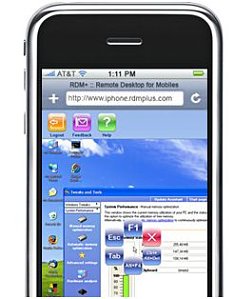
Since we often have people ask us computer stuff, we frequently wished we could control their desktop remotely. So i recently searched for remote control software and found: LogMeIn and a list of software like that at LifeHacker.

Dutch: hoe je iemand je Mac-scherm laat zien / delen, lees je op LifeHacker.nl.

Image Source: UberGizmo.

zondag, maart 15, 2009

Video chat on Mac OSX


I wondered how to set up a video chat on my Mac OSX. To me, it was not obvious how to do that, so i did some Googling. I found that popular Adium isn't supporting videochat (yet), but aMSN and Mercury are. First i read some sites stating you needed an .Mac-account or AIM-account. Since, as far as i know, you don't get a .Mac-account with the purchase of a Mac anymore, and since AIM is not that big in the Netherlands, i wondered why Apple wasn't more open to say MSN and Google chat/G Talk.

But i assumed build-in iChat would be able to use the build-in iSight camera as well. So i ended up at an Apple web page about setting up iChat. Even with that info i could not get a window to open with my contacts. Found out i mis interpreted the info on that status of my accounts: apparantly i was signed out, and starting iChat does not make you sign in. I wish Apple by default would make iChat ask whether you want to sign in, when starting iChat while being signed out (with possibility to disable that feature). I finally figured it out, but it ain't an example of how intuitive everything is supposed to be with Apple / Mac (by the way: there are loads of other non intuitive things on OSX!).